Candace Robertson

One educator, determined to create an engaging and dynamic experience for learners of all ages.


Leave a comment

TPACK Planning Guide

Here’s a “TPACK Planning Guide” that I created for the teachers in our district to provide more guidance in planning effective technology integration utilizing the TPACK framework.  For more information on TPACK, visit tpack.org.

Click here to make an editable copy of the Google Doc for your planning purposes. 

Creative Commons License TPACK Planning Guide by Candace Marcotte is licensed under a

Creative Commons Attribution-NonCommercial-ShareAlike 4.0 International License.


Leave a comment

Embedded Professional Development

We started the year with a clear goal in mind: our professional development (PD) revolving around technology would not be in isolation, it would be embedded and would serve as a modeling opportunity for teachers to see what meaningful technology integration looks like. We shifted away from standard technology training by carefully placing these pieces within applicable PDs that teachers already had to focus on as a part of our district’s strategic plan (curriculum, instruction, and assessment).  While we did have district professional development days where we were able to embed technology integration practices into topics like formative assessment, our easiest and most-frequent vehicle for embedded PD came from taking advantage of opportunities like our staff meetings.

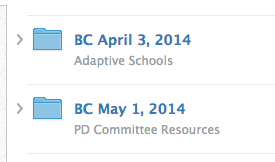
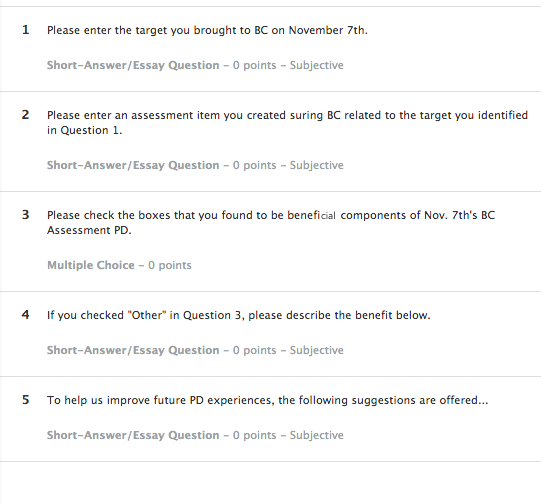
Example Schoology Staff Meeting FoldersBefore our pilot year started, we were able to easily identify that Schoology and Notability would be two huge pieces of our year. We knew that we needed to increase the competency and understanding teachers had with these two programs before full 1:1implementation the following year.  So, how did we do this without having to hold half-day PDs on how to use the technology?  A few months into the school year, we had our entire building join a Schoology course that held all of the items from our staff meetings (files, links, etc.).  We had the teachers take pre assessments and post assessments in Schoology if there was professional development delivered in our staff meeting that day (ex., creating valid assessments).  The files, which were posted in Schoology, we then had teachers import into Notability and use their iPads for note taking just as the students would.  Here’s the cool thing about that:

  • We were modeling the workflow process without ever having to explain it.
  • Authentic learning was taking place because the focus was not on the technology, but was instead on the purpose and experience

I remember that when we had our first really paperless meeting(which I brought some paper copies to, in order to model printing out a few for students who like to have paper copies), we had no teachers ask for it.  Keep in mind that we have about 75 certified teachers and additional support staff (social workers,admin, etc.), which brings our staff meetings to about 85-90 people, all at varying levels of tech skills. Not. ONE. Asked. For. Paper.  They were willing to take a risk after being given only a 2 minute overview on how to take notes inNotability.  Why were they willing to take this risk?

  • They immediately applied everything we showed them in that quick 2 minute intro. (We didn’t front-end-load them with all of the “Wows” of the application or give them 20 steps to remember at a later time, plus examples, etc.)
  • We only told them what they needed for that moment (writing tools, zoom in to draw, create a text box, add a page, scroll, and erase).  They weren’t given a laundry list of things that they didn’t have a chance to apply, so they didn’t immediately feel like they would never be able to understand the tool.
  • We did turn up their anxiety a bit by having them use it right in that moment without any preparation.  We made some of them uncomfortable, but did not push them too far.  They did not have the time to choose to shut down because they had to authentically apply it right in that moment.
  • We planted 1 teacher at each table that had experience with the applications.
  • We encouraged play, exploration, and sharing at the tables.  If you learn a cool trick, share it!  We wanted collaborative learning.
  • Collaboration made it fun!

Staff PD Example Schoology Exit SlipWe continued to use Schoology to house staff meeting materials and encouraged Notability for recording information on those electronic documents throughout the year. Casually, we would insert new features of the programs (a discussion in Schoology one month, adding sticky notes into Notability for a jigsaw activity the next, etc.).  Now that we had established this culture of play, exploration, and sharing, we were able to run these integration opportunities without any tutorial whatsoever.

As the year went on, we began to integrate other applications.  Need to take a vote on the dress code at the staff meeting?  Use Socrative.  Having teachers read an article on the web about CCSS? Use Subtext and let them share their takeaways and questions as they read.  Want to get staff to a web resource?  Create a QR code and have them scan it. Slowly, our teachers were being exposed to the power of the tools that all of their students would have the following year.

Continuing the momentum, we introduced “App Attacks” at one of our last staff meetings. Because we were modeling so much, we wanted to make sure the connection to classroom application was concrete and was also inspiring idea generation.  The term “App Attack” came from a teacher who was involved in the brainstorming of this idea.  We had explained what “App Slams” and “Demo Slams” were, but were looking for a more expansive view so that we could include websites, apps, etc. and we wanted it to not be about the tool, but to be a mass brainstorming activity where the teachers shouted out what they could do with the tool.  We wanted to use our collective powers to attack the tool and determine how many classroom applications we could generate…in 1 minute!  So was born, the “App Attack”.  After all of the staff members completed a Google Form with an image inserted in it about hallway expectations, we had a 30 second explanation of what this new “App Attack” was.  Then, the timer was set, and the staff members began to shout ideas out.  In one minute, we collected 16 classroom applications for using a Google Form with an image and we had more people who wanted to share, but the timer went off.  Why was this strategy successful?

  • The focus was on what they are already experts in:  their content and their classrooms.
  • It was unexpected.  (Who gets to randomly yell out at staff meetings…or in life?)
  • It created energy.
  • It created a bit of good anxiety because staff wanted to get their ideas in before the time was up.
  • It was an activity that focused on the collective knowledge of everyone in the room.  One idea would spark another, and so on.
  • It was fun!

Using the above-mentioned strategies for embedding PD into pre-existing meetings and professional development allowed us to create teacher buy in.  We didn’t have to sell the value of what we were talking about because we created the value from the experience.  We were showing, not telling and it had an impact.


1 Comment

Promoting a Culture of Play & Exploration in Adult Learning

Ok, here’s the truth:  I’ve been incubating and drafting this post for about a month now.  That’s because this is a big topic, like really big!  Thinking about culture change in any environment encompasses a lot of grounding information, growing information, energy, questioning, and above all it is challenging to communicate all of the intricacies that come into play.  Is there a succinct way to share this shift in culture without leaving something out?  Here is my attempt at it!

League of EdTechies Shield

How do we engage adult learners in our educational setting?  This is a question that I’ve been focused on for the past two years as I moved into a Technology Facilitator role.  As educators, we create dynamic educational experiences for our learners. For some reason, when we create educational experiences for our educators (professional development), we do things that we would never do in our own classrooms- WHY?! We would never use our full class period to stand in front of a PowerPoint for 2+ hours (or the dreaded full day “sit and gets”) and then send students home without any sort of formative assessment, hands-on learning activity, connection builders, etc.  So why is this acceptable for our adult learners and more importantly, how do we create a change?

Reason for Culture Change

I have always believed that learning should be FUN!  If you want to create lifelong learners, they need to experience the fun of learning at some point in their lives.  I’d argue that most of the educators who are slow to adopt technology in the classroom have probably never had fun with it in an educational setting.  Traditionally, we instruct educators how to “integrate technology” in a manner that is intimidating and is far from fun!  You’ve probably been in a PD situation where you were trying to follow someone training a large group on a new technology and a few mouse clicks were heard, cursors were flying, and somehow an hour passed when you heard the presenter say, “…and that’s it, any questions?”  That was stressful.  Did everyone notice how lost you were?  Why (or how) would you ever do that again?  What did that have to do with your classroom?  It was totally removed from the purpose.  It was about the technology, not about practice.  With taking the first step into 1:1 in our building this year, I knew that we had to have more people who were having fun with technology and we had to make it about their practice.  True, fun isn’t the only way to create a change in culture, but through play we can create a culture of learners who are explorers, risk-takers, creative, connection-makers, adaptable, flexible, innovative, and more!  If we were going to thrive and not just survive, we would need more educators with the qualities previously mentioned.  I needed to take action towards creating a culture change- I was going to bring play and fun to adult learning in our building.

Inspiration for Culture Change

Edcamp,  PLAYDATE, TeachMeets, and Twitter chats are all such fun PD experiences to be a part of.  The reason each is fun differs- some are inspirationally fun, others are hands-on fun, some inspire play, some are content and curiosity fun, but all inspire connections and applicability.  They are EMPOWERING.  Every PD should make us feel the way that we feel when we leave one of these awesome educational opportunities.  To remold adult learning in our building, we needed to capture this energy.

The First Step

The establishment of our “Instructional League of EdTechies” was to serve as our energy source for making this culture change possible.  No, no, no, this is not your standard technology committee- it is a “secret” society, adorned with code names, agent cards, badges, and most definitely some capes!

The League has two driving questions which serve as our goals:

  1. What support can we offer to teachers with integrating/infusing technology purposefully?
  2. How are we supporting CCSS, etc. with devices?


Notice that our driving questions are not just about technology, but are about it being purposefully done to support practice.  The driving questions touch on the idea of being connected learners as well.  There’s a reason that I even put the word “Instructional” into The League’s name, although it may seem repetitive to those familiar with educational technology.  I wanted to clearly define the purpose and place emphasis on practice.

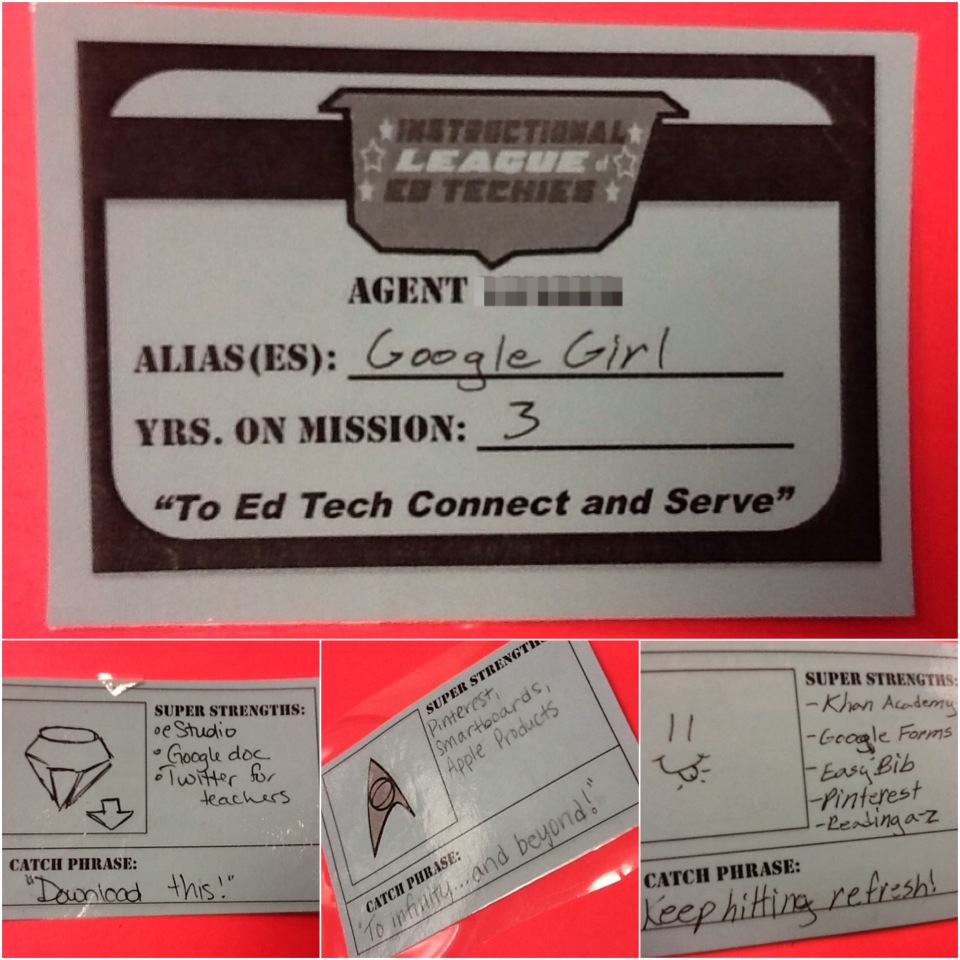
League of EdTechies Agent Card

Setting the Tone for Play

We spent the early months establishing ourselves and building the culture of our group- we needed to let go of worries or feelings of inadequacy in tech skills, each member needed to see their “super powers” because everyone has them!  Plus, if this was truly going to be the catalyst for change in adult learning, I had to make that very clear from the start.  That’s why every member received an agent identification card at the first meeting (pictured on the left).  With our identification cards in hand, we were all now a part of The League and had taken on an identity, were charged with a mission, and were aware of each other’s experiences and strengths.

Playing Together, Spreading the Spirit 

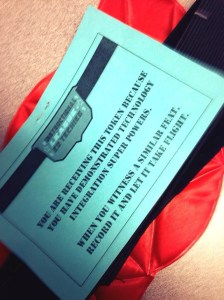
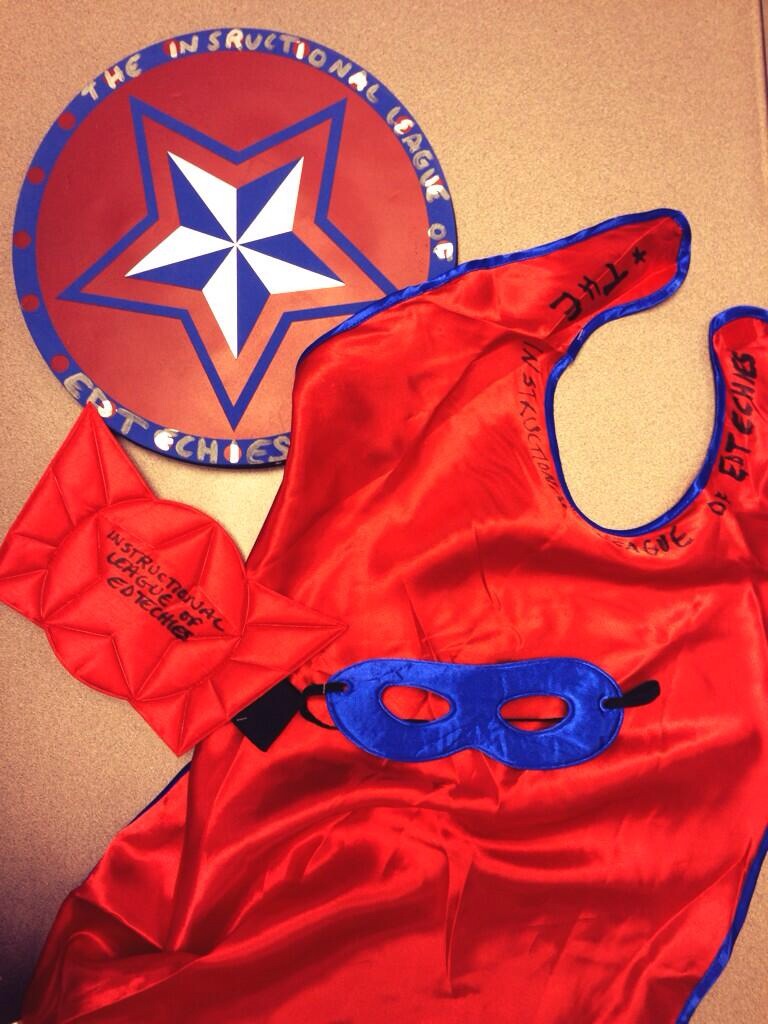
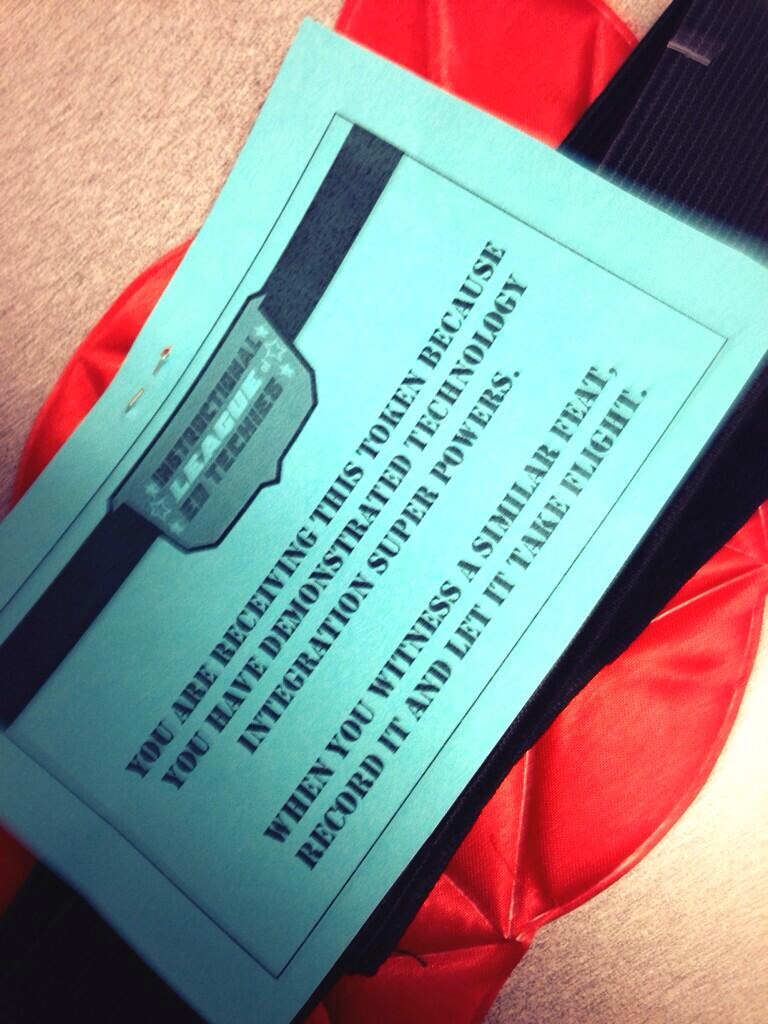
To further connections and to create conversation about educational technology, we have some “Teacher Swag” (pictured below) that we pass around the building to affirm meaningful technology integration and to create an awareness.  This super hero paraphernalia is passed to all teachers and is from all teachers, not just from The League members.  When you receive it, you can hang it in your room, wear it, have students wear it when teaching about a technology, and the list goes on.  When you are ready to hand it off, you write the name of the next recipient on the object itself and the reason for which they are being awarded this “token”.  The capes, shield, etc. were a reminder to connect with those around you and once our teachers became more connected, they noticed a lot more meaningful integration taking place so we actually had to purchase more capes as the year progressed.
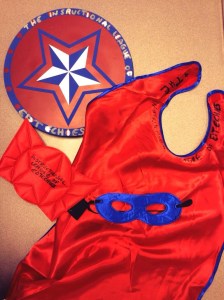
Teacher Swag               Teacher Swag Card

Growth in Play and Exploration 

With 75 teachers on staff, we started the year with about 10 members in The League and grew to 22 members by March!  One of the most exciting things about The League is that we have members from every grade level and subject area (from Special Education, to Algebra, to Spanish) and we range in our comfort with technology.  Within the hour that we spend together once per month, we start our meetings with a chosen “Slam”.  From our favorite Common Core resources, to Mac user tips & tricks, to Web 2.0 tools, we start our meetings by creating energy.  We then move on to exchange ideas, tools, and brainstorm ways to meet the needs of our students (and sometimes our own needs!).  It’s about more than technology, it’s about collaboration and creativity.  The League is now taking ownership over the content and sharing their curiosities by determining what we’ll explore at our next meeting.  For example, last month a member asked if we could devote a meeting to productivity and executive functioning, so we did!  Now that we’ve grown in our comfort with trying new technologies, we don’t go over the actual technical steps of the tools we discuss because we have now set the tone for clicking and playing.  Keep in mind that this growth is just from September to April of one school year so far.

Teachers as Leaders

We have a lot of fun playing and exploring together, but each member of The League is also being provided with the opportunity of leadership and they are taking that responsibility seriously.  The questions that their teammates are now bringing me are much less about technical items and are more grounded in ideas surrounding instruction.  They are either utilizing The League members to answer their technical questions or the exploration is catching on and they are becoming more confident in doing a little research and playing to figure things out.  In February, we were provided an opportunity to lead an after school PD that lasted an hour and a half during one of our staff meetings.  There were no goals specifically defined by our administration, other than helping our colleagues prepare for the full transition to 1:1 next year.  This was our opportunity to bring play and exploration to a larger group of adult learners, in a more formal setting.  Each member of The League received a badge before this event to help and identify them publicly as an educational technology leader in our building.  The badge, which a majority of them wear daily, is just a small representation of the exceptional resource these educators are for one another!

This is only the beginning of our journey, as we continue to join forces and take our classrooms and learning community to new levels.  In fact, now that I’ve cleared mental space with this post, I owe you a post about the fun we had leading our February PD!

Creative Commons License
Promoting a Culture of Play & Exploration in Adult Learning by Candace Marcotte is licensed under a Creative Commons Attribution-NonCommercial-ShareAlike 4.0 International License.

Leave a comment

iPad 201

As our district is implementing a 1:1 resource allocation for iPads next year, it has been so exciting to work with staff members and prepare them for the upcoming adventure! Some of our teachers have had access to iPads by being involved in the pilot and/or seed program. Knowing that we have staff members who have never used an iPad, to teachers who now almost solely use their iPads allows for a big span in the learning curve. So, in trying to plan professional development for all of the district staff…how could we make sure to meet their individual needs?

To insure that everyone is prepared for next year and that everyone continues to grow, we developed two main courses for staff members to participate in this summer. In addition, the district technology facilitators worked to create a “Summer Bucket List” and start-up guide to encourage exploration and use of the device in technical and FUN ways! I had the privilege to develop “iPad 201” which focuses on the educational frameworks for implementing technology integration. As we work to transform the mindset of what technology integration truly means, we wanted to model innovative integration while supporting instruction and the Common Core State Standards .  Our goal was to make the content highly accessible and highly relavant to their needs.  I considered these questions during planning:

  • What do all teachers already do?
  • What affordances can technology provide in completing these tasks/processes?
  • How can we support district initiatives to make the transition seamless?
  • How can we differentiate within the course?
  • How can we encourage exploration and play in the course?

The content covered and the way in which it was delivered in this course was all done for specific reasons.  Here is reflection on some of the choices you will notice:

  • Course Content:  The scope and sequence of this course was first developed to provide a mindset and lens for viewing technology integration.  After having an understanding of TPACK and SAMR, we can then look at our standards through a different lens to see how we can employ technology purposefully to meet the needs of our students.
  • Inclusion of CCSS shifts and best practices: To make this meaningful PD that was truly integrated, we wanted to create a connection to practices that educators are already familiar with.  Highlighting best practices (formative assessment, classroom management, differentiation, etc.) allowed us to make this connection to how we can utilize technology to assist in processes that we are already familiar with.  In terms of the CCSS shifts, our district is adopting the CCSS as our curriculum in the upcoming school year.  To allow our teachers to see the affordance of technology to addressing these shifts, this was included.
  • Use of Google Presentations for content delivery: models meaningful repurposing of technology, as it mimics an interactive ebook feel but does not require a learning curve to develop since our teachers are familiar with Google Apps.
  • Linoit board:  Formative assessment and to guide discussion, easily translated to classroom use as only 1 teacher account is needed to allow for the board and lots of collaboration and sharing!
  • Utilization of Web 2.0 tools and not apps:  Thera are a few reasons for this…1.  Teachers do not receive app codes until the first week of August, as we wait for the new fiscal year;  2.  Focus is not on apps, but on the instruction (don’t want to create an “app-slappy” climate); 3. Serves as a reminder that the devices are connected to the Internet (sounds crazy, but it’s easy to get sucked into “App Land” and forget that Web 2.0 tools still apply).

By using the forms of content delivery and the tools in which we utilize throughout the course, we work to increase the digital literacy of staff members by exposing them to the tool in a casual way- letting them get the feel for it instead introducing it by creating accounts, identifying features of the tool, etc.  Modeling the use of these tools (Google Pres., Linoit, Easel.ly) throughout the PD creates an awareness of the tool, a comfort level with it, and sparks ideas for further use in their individual classrooms.  Teachers get to learn the features by actually using it, not by feeling pressured to keep up with directions on how to use it.  The whole feel for the course was not meant to be a “Show and Tell”, but to set the mood to “Collaborate and Create”.  We flipped this PD experience, as the learners are coming to the session, already having watched the two initial videos.  This allows us to jump directly into discussion and allows for ample time to make connections to best practices, the CCSS, explore, and create!

Creative Commons License
iPad 201 by Candace Marcotte is licensed under a Creative Commons Attribution-NonCommercial-ShareAlike 3.0 Unported License.
Based on a work at candacemarcotte.wordpress.com.


Leave a comment

SAMR in 120 Seconds

I finally had a few moments to finish up the SAMR “Flash PD” that was next on my list.  It took me longer to figure out an idea to visually represent this model.  I knew I wanted to use Playdoh® because I feel that the SAMR Model shows how technology can be molded to fit our needs.  Also, it brings forth the idea that we can either be rigid or malleable in our use of technology.  So, we are really looking at the flexibility of technology and the flexibility of our own ideas through this lens.  The concept of transforming student learning also brought the Playdoh® straight to my mind.  Once I had the idea…and found the Playdoh® (seriously, I had to order it), it was a quick creation because my ideas were focused and I had time to process the big picture and details before I ever set the camera up.  I’m looking forward to my next “Flash PD”- maybe Transliteracy?

Specific Tools Used:

  • iPhone (photo capture)
  • Tripod, yard stick, and masking tape (now my go-to set up to get my overhead shot)
  • A paint stick to make my “Redefnition” tennis ball look like it was bouncing
  • Playdoh®
  • Pixlr  (to edit my photos and look like the Playdoh® was really in different places)
  • Screenshots of Google Docs
  • PowerPoint (recreated version of the SAMR Model to use for PD)

A Peek Behind the Scenes:

Making of SAMR in 120 Sec.

Creative Commons License
SAMR in 120 Seconds by Candace Marcotte is licensed under a Creative Commons Attribution-NonCommercial-ShareAlike 3.0 Unported License.
Based on a work at candacemarcotte.wordpress.com.